The Glitch, Bug, and Feedback Thread

Don't think they are related... The first one we we are working on getting corrected. The one today is likely due to server migration Host Gator did in the past 24 hours.
 
Unable to delete an attachment. There is no delete option.

Edited to add - got it figured out.
 
Guys/Gals - if you are currently on the site, please chime in here and let me know if you are seeing the usual site or if you are experiencing any issues. Thanks.
 
It looks like Host Gator really screwed up a server migration they imposed on us. We have to wait for 'DNS Propagation' - so over the course of the next 48 hours, you may be directed to the current correct site, or some older version of it. I hate it, it's unbelievable that this kind of **** is acceptable by a major server vendor (they may not be our server host much longer), but it is what it is.
 
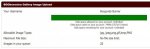
If one of the mods could delete the pics (twenty-three in all) that I have in queue for a new album, I would appreciate it. They are caching and it is impossible to delete them and start over.
 
It looks like Host Gator really screwed up a server migration they imposed on us. We have to wait for 'DNS Propagation' - so over the course of the next 48 hours, you may be directed to the current correct site, or some older version of it. I hate it, it's unbelievable that this kind of **** is acceptable by a major server vendor (they may not be our server host much longer), but it is what it is.

HG is usually very reliable and one of the best out there. This is a surprise. That being said, I was away all afternoon and can't tell you about any issues. It seems fine now.
 
HG is usually very reliable and one of the best out there. This is a surprise. That being said, I was away all afternoon and can't tell you about any issues. It seems fine now.

This hasn't been our experience over the past 6 months...they had an outage last month that left thousands of sites down for days. They are losing customers in droves and we may well reconsider our situation as well.
 
If one of the mods could delete the pics (twenty-three in all) that I have in queue for a new album, I would appreciate it. They are caching and it is impossible to delete them and start over.

Can you explain what you mean? Are you talking about images you are trying to upload in the 'Image Gallery'? And when you say 'they are caching' what do you mean? I'll be glad to help once I understand...
 
Here it is:

407456386.jpg

I don't have an album currently, but when I try to create one, these pics are still in queue and I can't get rid of them. I learned a lesson of trying to load all 23 at once. Just one at a time from now on, if the problem can be fixed. Otherwise, I will need to use a third party vendor for my pics here.
 
Were you trying to upload from within the 'Image Gallery'? Or from somewhere else (like from your profile page)?
 
I guess the image gallery, but not sure. There was no direct link and instructions - I was just winging it.
 
Sent you a PM
 
Hate to be a ninny this evening, but there is a problem in the Redskins News section. Links to Redskins.com are not formatting correctly and the link in each feed takes you to a blank page.
 
You're going to see weird behavior until the site 'DNS Propagation' is complete. There's nothing we can do about it and the issues should resolve once it's done in the next 24-48 hours. All we can do is wait.

If I log out and in again, sometimes I get a July version of the site where 18 or so BGO'ers are hanging out, totally unaware that some of us are seeing the current site with different members on it.

So yeah, you can imagine that some other stuff isn't going to work correctly for a bit.
 
That is just weird. Most of the others are in an alternate universe over there and only a few are here. Just weird.
 
HG is usually very reliable and one of the best out there. This is a surprise. That being said, I was away all afternoon and can't tell you about any issues. It seems fine now.

bet a newbie was involved in planning or execution!
 
well, it looks like DNS has propagated successfully this morning


boy or girl?
 
I just thought the problems were due to the Syrian Electronic Army. Who knew?
 
I found this list of "Tips to avoid being blacklisted by Google" that might be useful at least in offering an explanation as to what's happening.

Tips for Avoiding Google Blacklisting your website in 2013 – 2014

1. Avoid getting links from Spam and Porn Sites

Google takes these two keywords very very seriously because they don’t like Spam and Porn keywords which harm to users. If you are planning to get any backlinks then try to avoid listing it in Spam and Porn sites, So try to avoid listing your websites in that kind of website.

2. Paid Links

Google will take serious on the website which offer paid links. Google always suggests Natural Links.

3. Avoid automated content

Google doesn’t encourage automated content which is created and updated by robots and softwares. Google thinks this as a Spam and will ban you from listing and make your website into blacklist.


4. Careful with Robots.txt File

Robots. txt file is a very important file which all robots follow while entering into your website. In other words robots.txt file is your weapon to stop all robots from crawling your website. So while modifying or changing the file you will be careful if you did any mistake it will affect your total website indexing in search engines.

User-agent: *
Disallow: /

The above lines in your robots.txt will stop all the robots indexing your website for Search Engines, So be careful.

5. Adding Duplicate/low quality content

Google takes it seriously because they don’t encourage website which using Duplicate and also Low Quality Content (Grammer Mistakes, Spelling Mistakes etc.). Google wants to provide good content for their search engine users who is looking for information. So they block website which uses duplicate content and also Low Quality Content. Google thinks that content should be understood by every stage of people. So use Quality Content and avoid blacklisting your website from Google.

6. Using Black Hat SEO Techniques

Black Hat SEO Techniques are which use for cheating Robots with unsupported SEO activities. Like Cloaking, More Keywords and etc. So try to avoid Black Hat SEO Techniques and Use only White Hat SEO Techniques.

7. Generating Auto Traffic

Try to avoid auto traffic to your website which will lead to ban your website from Google.

8. Adding More Advertisments

This will also take seriously by google. The Google Adsense Rule only adds Three Units to the website. So Google will think that site will have only three ad space if you place more and more ads they will treat you as a spam website and list your website in Blacklist.

So above are some Tips for Avoiding Google Blacklisting your website in 2013 – 2014

Link: Tips for Avoiding Google Blacklisting your website in 2013 - 2014
 
I still can't log into the pickem pool thing. I know you guys are busy so if you don't get to it it's not a big deal :)

edit: hey, you know what works?
when you follow directions.

that normally works.

so nevermind.
:eek:
 

Users Who Are Viewing This Thread (Total: 1, Members: 0, Guests: 1)

Help Users

You haven't joined any rooms.

    You haven't joined any rooms.
    Top